

After 3 Months with Claude Code Spec, I Never Want to Write Docs Manually Again
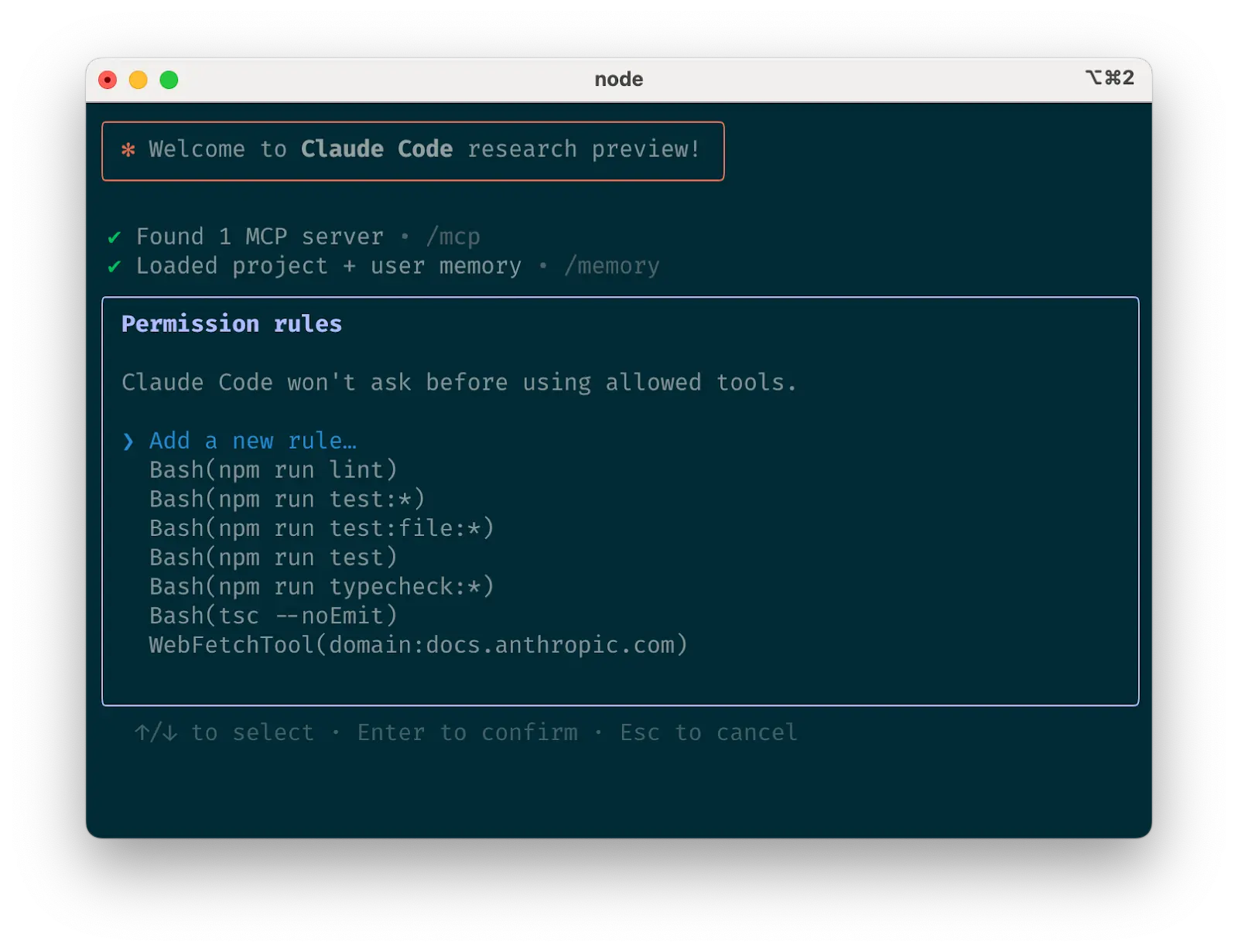
True story: I almost got fired because of documentation
End of last year, our project was about to ship to the client, and suddenly the PM demanded complete documentation for all APIs. I was thinking WTF - the code's done, and now you want docs?
That period was a nightmare. Coding during the day, writing docs at night, often staying up until 2-3 AM. The worst part? After writing docs, the code would change the next day, and I'd have to redo everything.
One time I couldn't take it anymore and complained in our team chat: "Is there any tool that can auto-generate docs? I'm going crazy!"
Then a colleague dropped me a link and said "try this Claude Code Spec thing." I thought, probably another gimmicky tool, but desperate times call for desperate measures.
The result... holy shit, it actually works!
My first mind-blowing experience with Claude Code Spec
After installing the tool, I randomly picked a user management module I wrote before and tried it out. Just one command:
claude-spec analyze user-service.jsWaited about 30 seconds, and it generated a markdown file. I opened it and was like... damn, this documentation is more detailed than what I would write myself!
Not only did it clearly explain what each function does, but it also annotated parameter types, return values, and exception cases. The coolest part? It wrote usage examples for every function - something I'm usually too lazy to do.
That moment I knew this thing was going to change how I work.
After 3 months, here's what I've learned
No more overtime for documentation
Before, every time we had a project delivery, I'd be pulling all-nighters writing docs. Now, no matter how big the project, I can generate complete documentation in 5 minutes. Last month we had a 200k-line codebase project, and documentation generation took less than 10 minutes.
Documentation quality is better than what I write
Honestly, when I write docs myself, I often cut corners - simple parameter descriptions, no usage examples. But this tool generates docs with everything you need, and the format is super professional.
Once a new intern looked at docs I generated with the tool and complimented me on how professional my documentation was. I was thinking: if only you knew this was written by AI...
Code changes, docs update automatically
This is so satisfying. Before, when code changed, I'd often forget to update docs, causing new teammates to write code based on outdated docs that wouldn't work. Now when code changes, I just re-run the tool and docs are instantly updated.
Team collaboration efficiency significantly improved
Now everyone on our team can quickly understand each other's code. New hires can get up to speed on day one without me having to explain code logic one by one.
Step-by-step setup (with lessons from my mistakes)
Installation is actually pretty simple
I used npm installation since our project was Node.js anyway:
npm install -g claude-code-specIf you're using Python, you can use pip:
bash
pip install claude-code-spec
VS Code users can install the plugin directly - just search "Claude Code Spec". I tried it, works well, but I still prefer command line.
Don't make my first-time mistakes
Initially I just ran it on the entire project:
bash
claude-spec analyze ./
Waited forever and got errors. Later learned it's better to try a single file first:
claude-spec analyze src/user.jsOnce you're familiar with it, then analyze entire directories:
bash
claude-spec analyze ./src --recursive
Remember to add --recursive, otherwise it only analyzes files in the current directory.
Live Demo: See AI's Magic in Action
JavaScript Example
Original Code: ```javascript function calculateDiscount(price, userType, couponCode) { let discount = 0;
if (userType === 'vip') {
    discount = 0.2;
} else if (userType === 'member') {
    discount = 0.1;
}
if (couponCode === 'SAVE20') { discount += 0.2; }
return price * (1 - Math.min(discount, 0.5));} ```
AI-Generated Documentation: ```javascript /
- Calculate discounted price for products
- Calculates final price based on user type and coupon code. Supports different
- discounts for VIP users and members, with stackable coupon codes, but total
- discount cannot exceed 50%.
- @param {number} price - Original product price (must be positive)
- @param {string} userType - User type, supports: 'vip' (VIP user), 'member' (regular member), other (regular user)
- @param {string} couponCode - Coupon code, currently supports: 'SAVE20' (additional 20% discount)
- @returns {number} Final price after discount
- @example
- // VIP user with coupon
- const finalPrice = calculateDiscount(100, 'vip', 'SAVE20');
- console.log(finalPrice); // Output: 50 (20% + 20% = 40% discount, but max 50%)
- @example
- // Regular member without coupon
- const finalPrice = calculateDiscount(100, 'member', '');
- console.log(finalPrice); // Output: 90 (10% discount)
- @note Total discount rate will not exceed 50% to ensure merchant profit
- @since 1.0.0 */ ```
Python Example
Original Code: ```python def process_user_data(users, active_only=True): result = [] for user in users: if active_only and not user.get('active', False): continue
    processed_user = {
        'id': user['id'],
        'name': user['name'],
        'email': user.get('email', 'Not provided'),
        'last_login': user.get('last_login')
    }
    result.append(processed_user)
return result ```
AI-Generated Documentation: ```python def process_user_data(users, active_only=True): """ Process user data and return standardized format
Filters and formats user list, with option to return only active users.
Processed data includes basic user information, missing emails will show as "Not provided".
Args: users (List[Dict]): List of user data, each user should contain:
        - id (int): Unique user identifier
        - name (str): User name
        - active (bool, optional): Whether user is active, defaults to False
        - email (str, optional): User email address
        - last_login (str, optional): Last login time
    active_only (bool, optional): Whether to return only active users, defaults to True
Returns: Listuser data list containing:
        - id: User ID
        - name: User name
        - email: Email address (shows "Not provided" if missing)
        - last_login: Last login time
Examples: >>> users = [ ... {'id': 1, 'name': 'John Doe', 'email': 'john@example.com', 'active': True}, ... {'id': 2, 'name': 'Jane Smith', 'active': False}, ... {'id': 3, 'name': 'Bob Wilson', 'email': 'bob@example.com', 'active': True} ... ] >>> result = process_user_data(users) >>> print(len(result)) # Output: 2 (only active users)
    >>> result = process_user_data(users, active_only=False)
    >>> print(len(result))  # Output: 3 (all users)
Note:
    - Will raise KeyError if required fields (id, name) are missing from user data
    - Recommend validating data integrity before calling
"""
## Advanced Features: More Than Just Documentation

### 1. 🔍 **Code Quality Analysis**

Claude Code Spec doesn't just generate documentation - it also analyzes code quality:
bash
Generate code quality report
claude-spec quality-check ./src --report-format json ```
Sample Report:
json
{
  "overall_score": 8.5,
  "issues": [
    {
      "type": "missing_error_handling",
      "file": "user-service.js",
      "line": 45,
      "severity": "medium",
      "suggestion": "Recommend adding try-catch block for database operations"
    },
    {
      "type": "inconsistent_naming",
      "file": "utils.js",
      "line": 12,
      "severity": "low",
      "suggestion": "Recommend using camelCase naming convention"
    }
  ],
  "recommendations": [
    "Add input validation for all public methods",
    "Implement consistent error handling patterns",
    "Add unit tests for critical functions"
  ]
}
2. 📋 API Documentation Generation
Automatically generate professional API documentation:
# Generate OpenAPI/Swagger documentation
claude-spec api-docs ./api --format openapi --output api-docs.yaml

# Generate Markdown format documentation
claude-spec api-docs ./api --format markdown --output API.md
3. 🔄 CI/CD Integration
Integrate documentation generation into your deployment pipeline:
# GitHub Actions example
name: Auto Generate Code Documentation
on:
  push:
    branches: [main]

jobs:
  generate-docs:
    runs-on: ubuntu-latest
    steps:
      - uses: actions/checkout@v2

      - name: Install Claude Code Spec
        run: npm install -g claude-code-spec

      - name: Generate documentation
        run: |
          claude-spec analyze ./src --output ./docs/specs
          claude-spec api-docs ./api --format markdown --output ./docs/API.md

      - name: Commit updated documentation
        run: |
          git config --local user.email "action@github.com"
          git config --local user.name "GitHub Action"
          git add docs/
          git commit -m "Auto-update code documentation" || exit 0
          git push
Configuration and Customization
Create Configuration File
Create .claude-spec.json in your project root:
{
  "language": "auto-detect",
  "output_format": "markdown",
  "include_examples": true,
  "generate_tests": false,
  "quality_checks": {
    "enabled": true,
    "strict_mode": false,
    "ignore_patterns": ["*.test.js", "*.spec.js"]
  },
  "documentation": {
    "include_private_methods": false,
    "generate_toc": true,
    "include_source_links": true,
    "language": "en-US"
  }
}
Ignore File Settings
Create .claudeignore file:
# Ignore test files
*.test.js
*.spec.js

# Ignore build files
node_modules/
build/
dist/

# Ignore config files
.env
.env.local
Best Practices: Maximize Tool Value
1. 📝 Code Comment Strategy
While AI is smart, appropriate comments make generated documentation more accurate:
// ✅ Good practice: Add comments for key information
function calculateShippingCost(weight, distance, express = false) {
    // Base rate: $2 per kg
    const baseRate = 2;

    // Distance fee: $0.1 per km for distances over 100km
    const distanceFee = distance > 100 ? (distance - 100) * 0.1 : 0;

    // Express service fee: additional 50%
    const expressFee = express ? baseRate * weight * 0.5 : 0;

    return baseRate * weight + distanceFee + expressFee;
}
2. 🏗️ Project Structure Optimization
Reasonable project structure helps generate better documentation:
src/
├── components/     # Component related
├── services/      # Business logic
├── utils/         # Utility functions
├── types/         # Type definitions
└── constants/     # Constants
3. 👥 Team Collaboration Standards
Establish team usage standards:
- Generate docs before commit: Set up pre-commit hooks
- Include docs in code review: Ensure documentation and code consistency
- Regular doc updates: Recommend running full updates weekly
- Unified doc format: Use consistent configuration files
FAQ
Q: What if generated documentation isn't accurate enough?
A: You can improve it by:
- Adding more descriptive comments in code
- Using more meaningful variable and function names
- Enabling strict mode in configuration
- Providing example usage comments
Q: What about slow processing for large projects?
A: Optimization suggestions:
- Use
.claudeignoreto exclude unnecessary files - Process different modules in batches
- Enable caching functionality
- Consider using incremental update mode
Q: How to handle multi-language projects?
A: Claude Code Spec supports multiple languages: ```bash
Specify multiple languages
claude-spec analyze ./project --languages javascript,python,java
Generate unified format documentation
claude-spec analyze ./project --unified-output ```
Perfect Integration with Kiro IDE
If you use Kiro IDE, the Claude Code Spec experience becomes even better:
- 🔗 Seamless Integration: Kiro IDE automatically detects and uses Claude Code Spec
- ⚡ Real-time Generation: Automatically update documentation when code is saved
- 🎯 Smart Suggestions: Combined with Spec-Driven Development for better recommendations
- 👥 Team Sharing: Easily share specification documents across teams
Conclusion: Embrace AI-Era Development
Claude Code Spec isn't just a tool - it represents a new trend in software development:
- 🤖 AI-Assisted Development: Let AI handle repetitive work while developers focus on innovation
- 📚 Documentation-Driven: Good documentation is the foundation of good code
- 🚀 Efficiency First: Use technology to solve traditional pain points
- 👥 Collaboration-Friendly: Reduce team collaboration costs
In this era of rapid AI development, not using these advanced tools is wasting time. Claude Code Spec has already helped thousands of developers say goodbye to manual documentation pain. Now it's your turn!
Get Started Now
Ready to experience AI-driven documentation generation?
- Install the tool:
npm install -g claude-code-spec - Analyze your project:
claude-spec analyze ./src - Check results: Open the generated documentation files
- Continuous optimization: Adjust configuration based on results
Remember, the best tool is the one you actually use. Don't let documentation be a burden in development anymore - let Claude Code Spec become your powerful assistant!
Want to learn more about AI development tools? Check out our AI Coding Assistants Comparison Guide or explore Kiro IDE's Spec-Driven Development Features.
Related Articles
How to Download Kiro IDE 2025: Complete Installation Guide for Windows, Mac & Linux
Step-by-step guide to download and install Kiro IDE on Windows, Mac, and Linux. Get started with Amazon's AI-powered development environment in minutes.

AI IDE Review: Kiro IDE vs VS Code - Hands-On Testing of Spec-Driven Development
Comprehensive AI IDE review comparing Kiro IDE with VS Code. Real-world testing of AI IDE features including Spec-Driven Development and Agent Hooks automation.
Kiro IDE Complete Tutorial: Master Kiro IDE Spec-Driven Development & Agent Hooks
Complete Kiro IDE guide covering Kiro IDE's revolutionary Spec-Driven Development workflow, Kiro IDE Agent Hooks automation, and how Kiro IDE transforms coding practices.